PAAAWS PACK APP GUIDE
CONNECT. CREATE. SHINE.
See exactly how to connect your pack and use every part of the app, step by step.
GET STARTED
CONNECT YOUR BAG
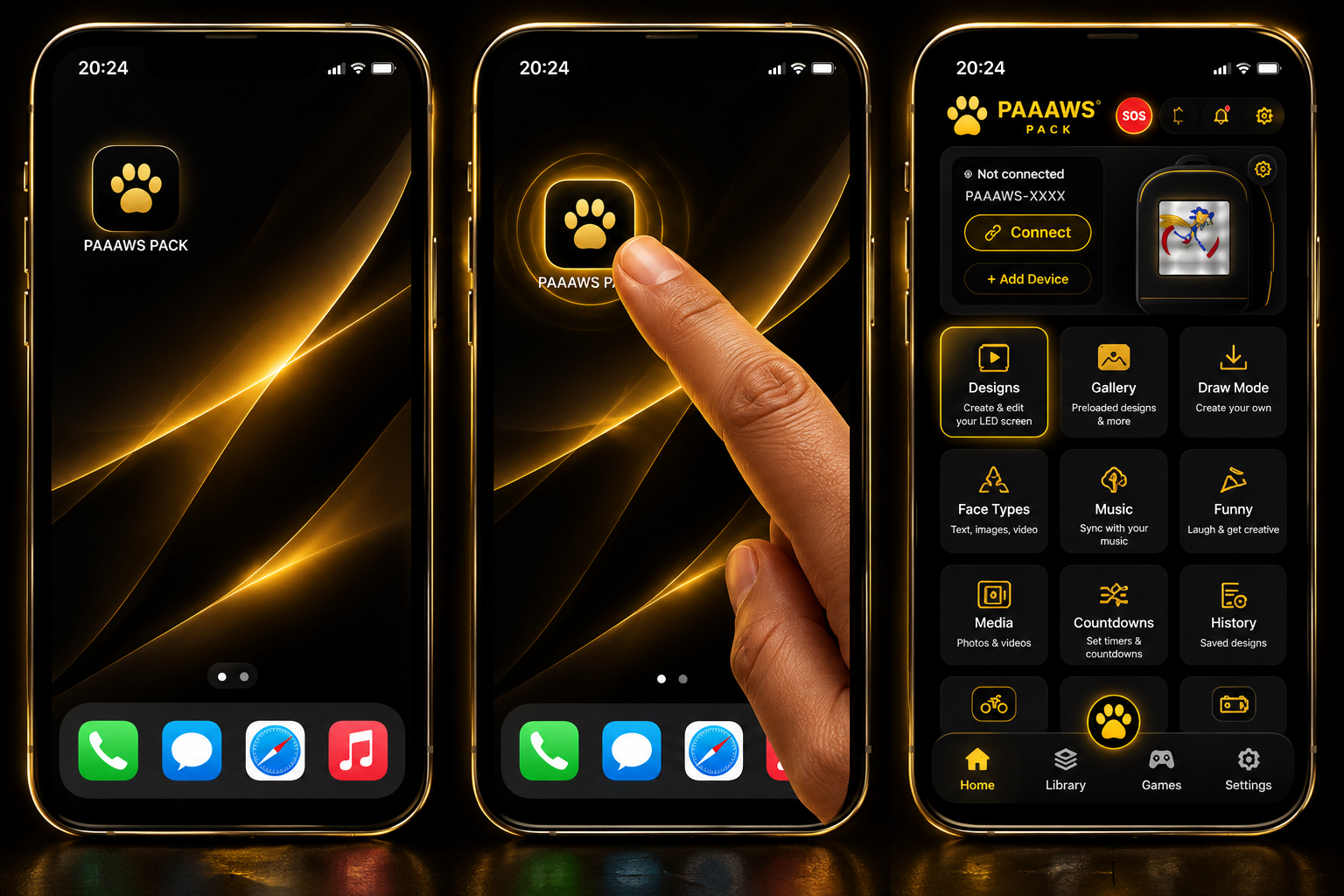
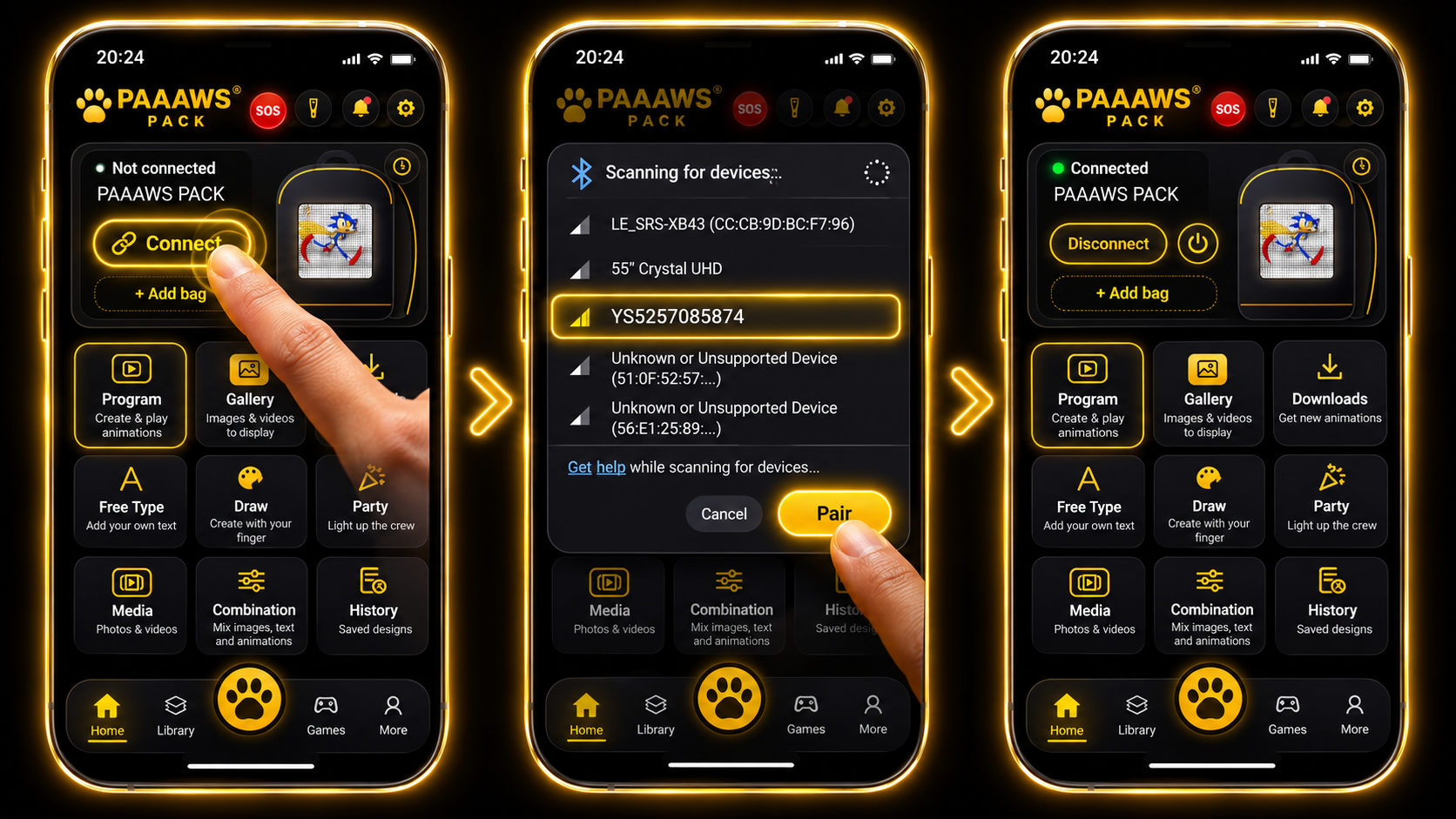
Open PAAAWS PACK, press Connect, choose your device and tap Pair. When the green Connected light appears, you're ready.
PHOTOS · VIDEOS · GIFS
THE QUICKEST WAY TO GET SOMETHING ON YOUR BAG
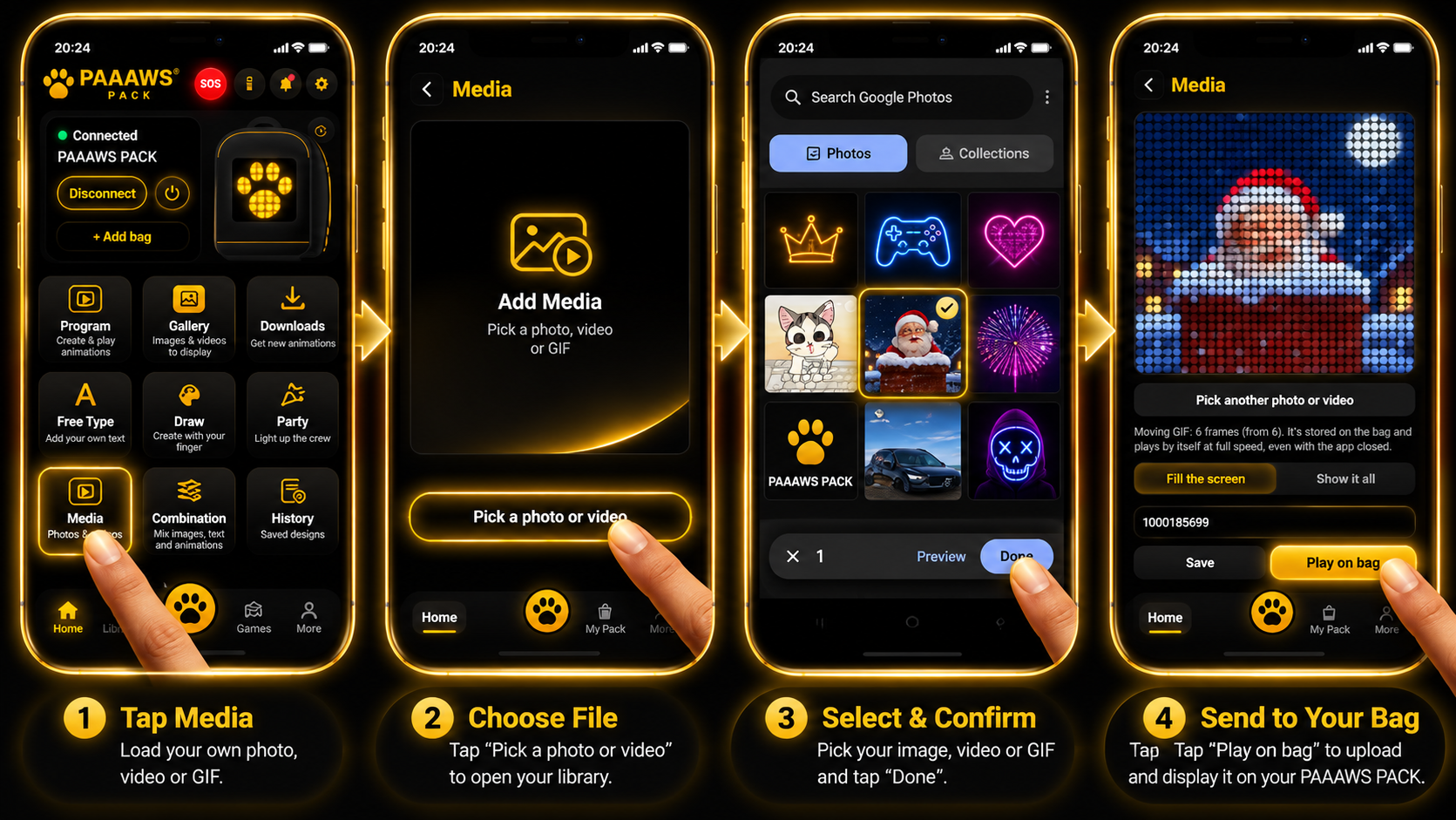
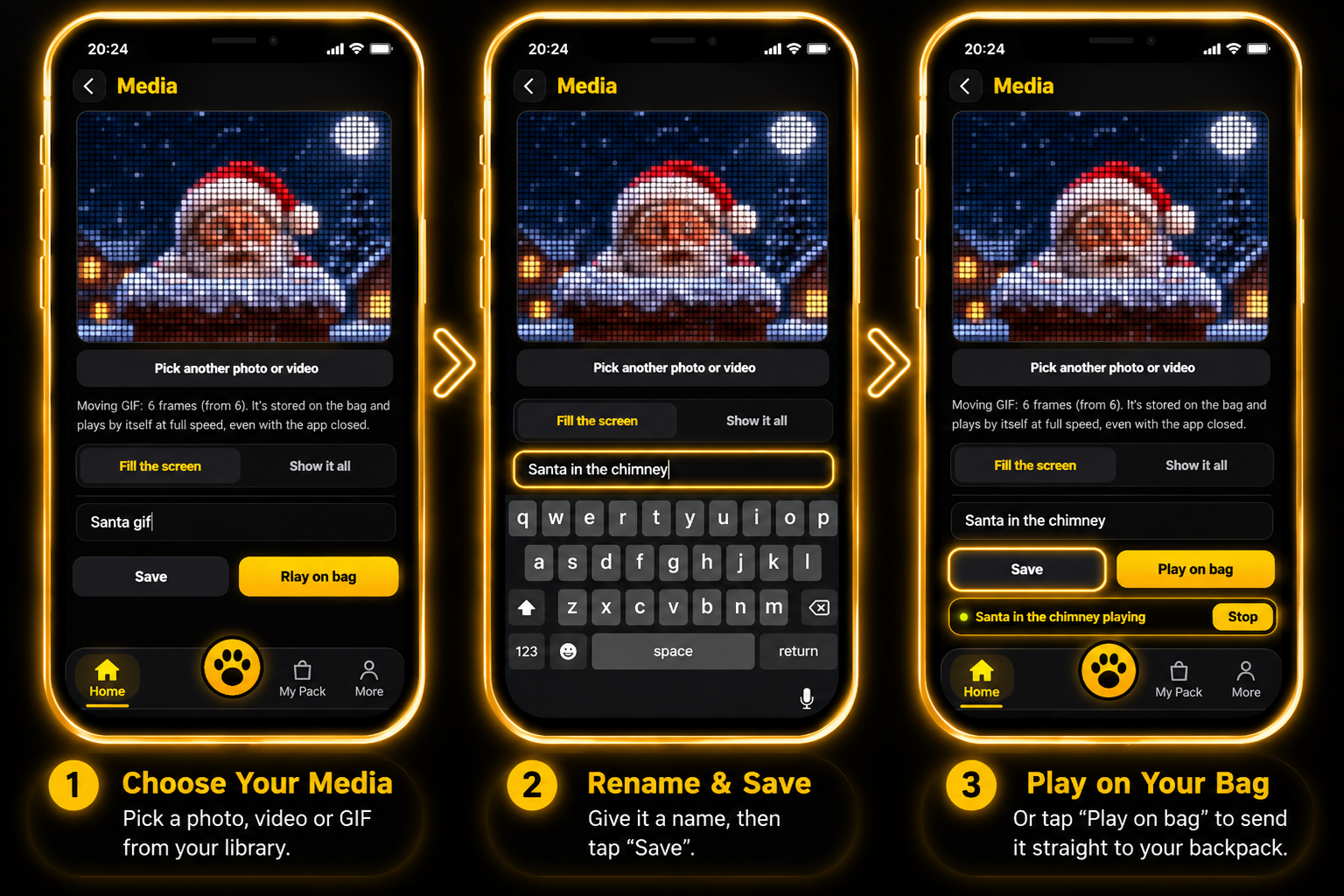
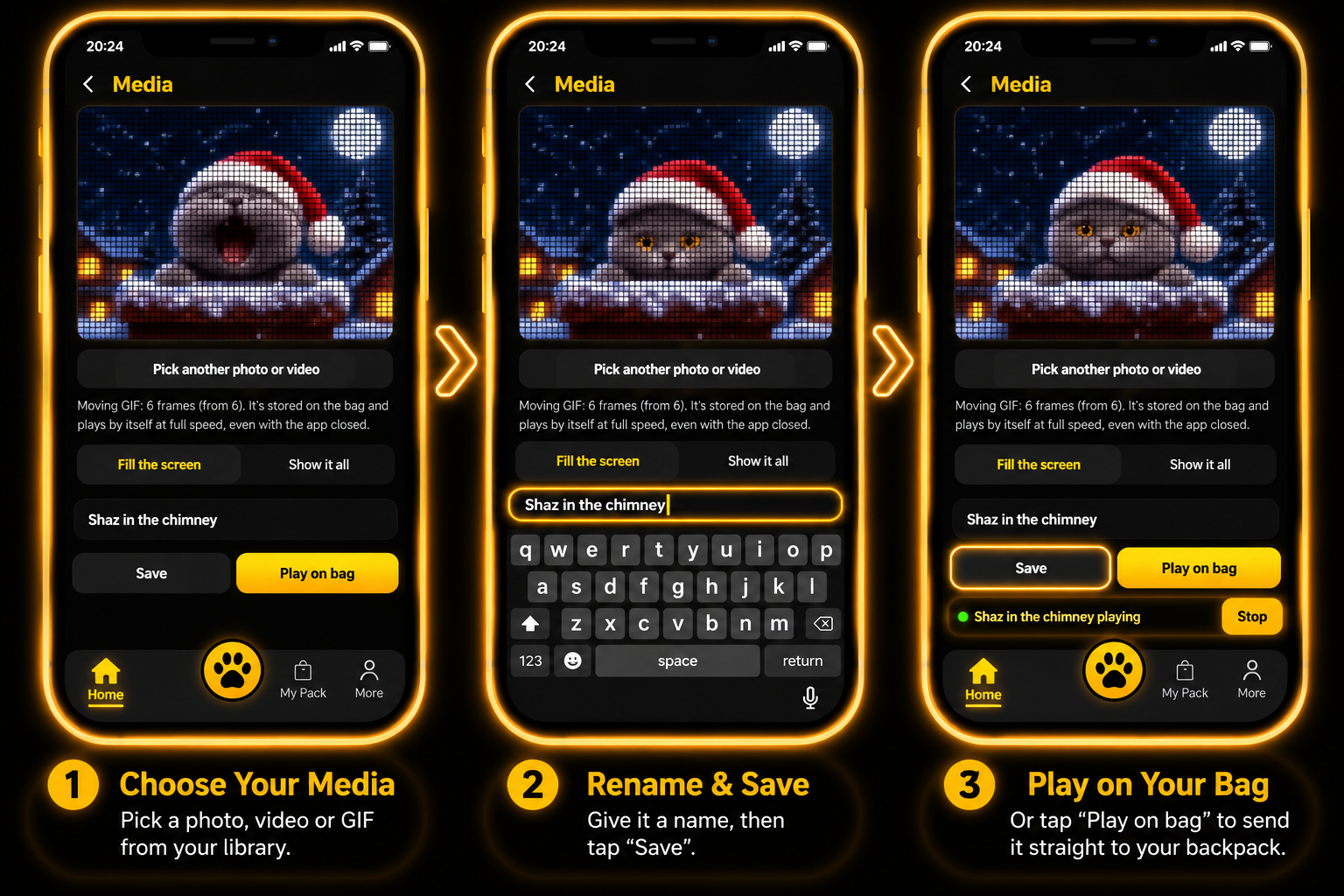
Tap Media, choose a photo, video or GIF from your phone, then tap Play on bag. That's it — no need to save first.
WHERE TO GET YOUR GIFS
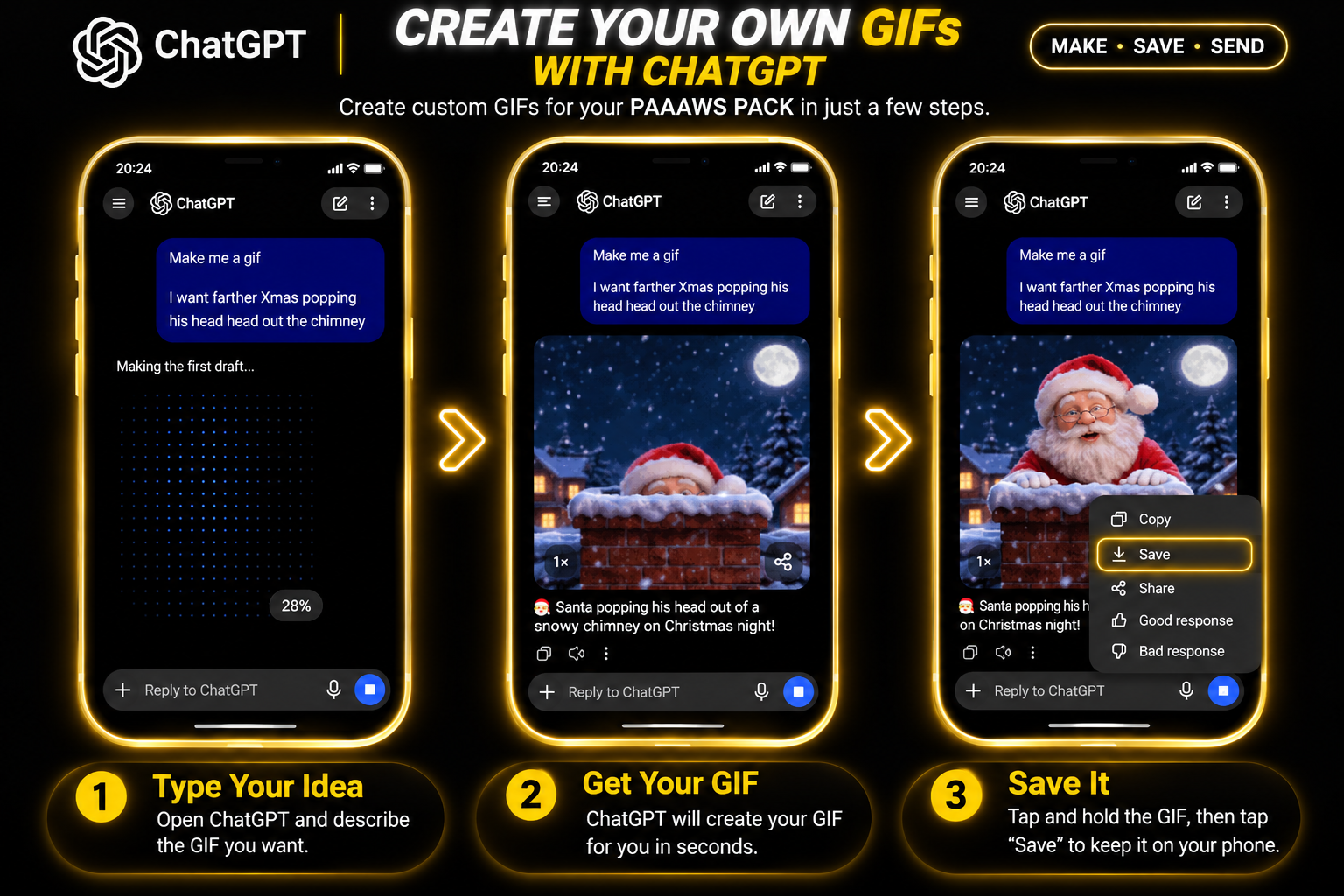
Make your own GIF with ChatGPT, or find a ready-made one using your web browser. Save it to your phone, then use the Media steps above to send it to your pack.
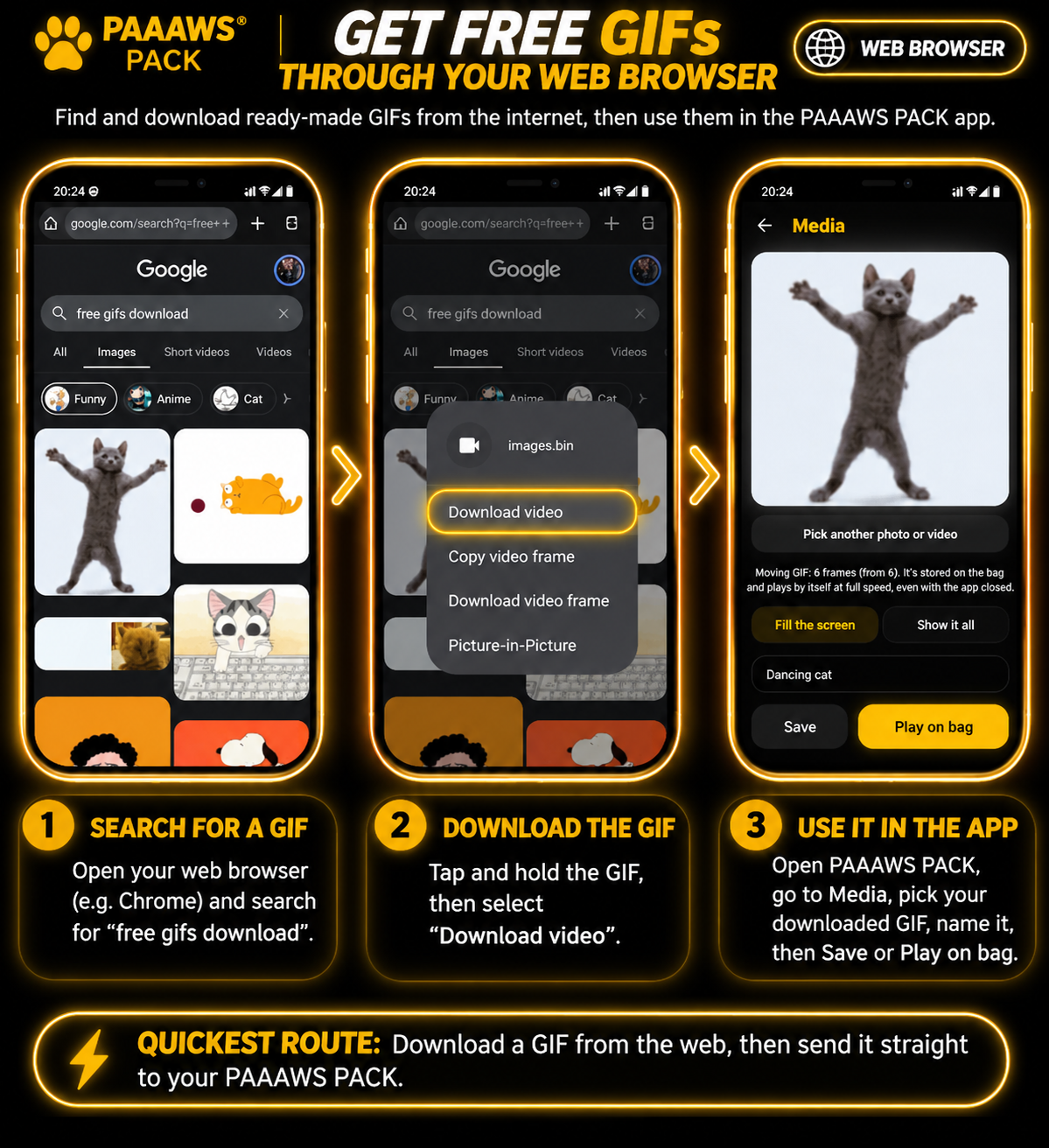
Only download and use media you have permission to use. Download options may vary by website and browser.
LOAD UP YOUR PROGRAM
PROGRAM SECTION
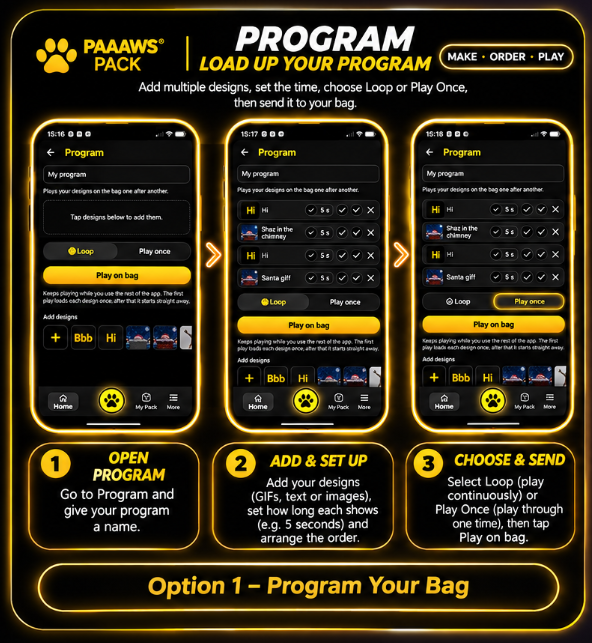
Line up your designs and play them on your bag one after another. Pick Loop or Play once, then tap Play on bag.
YOUR SAVED DESIGNS
GALLERY
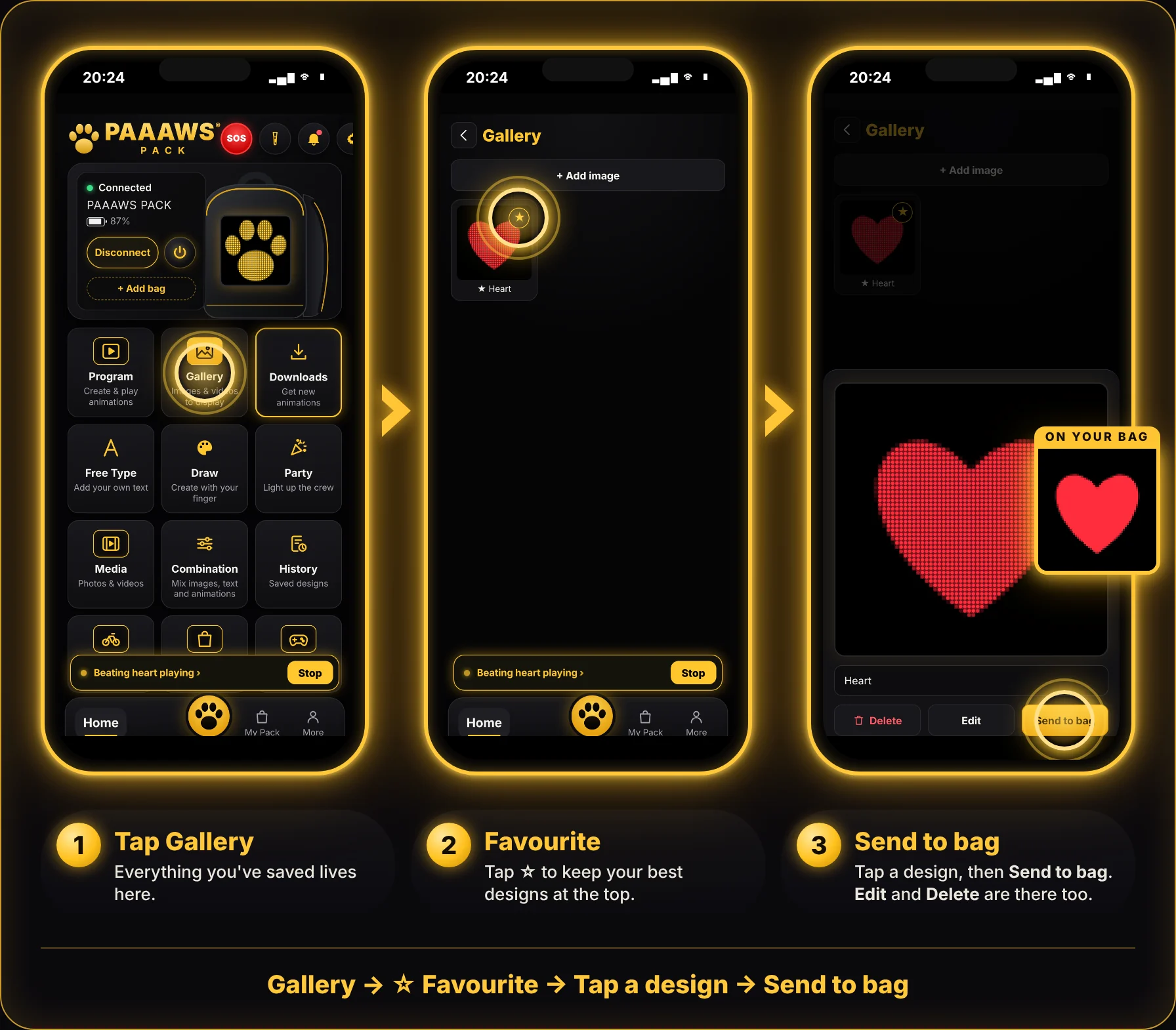
Everything you save from Draw, Free Type, Media and Downloads ends up here. Tap ☆ to favourite a design, then tap it and press Send to bag.
READY-MADE DESIGNS
DOWNLOADS
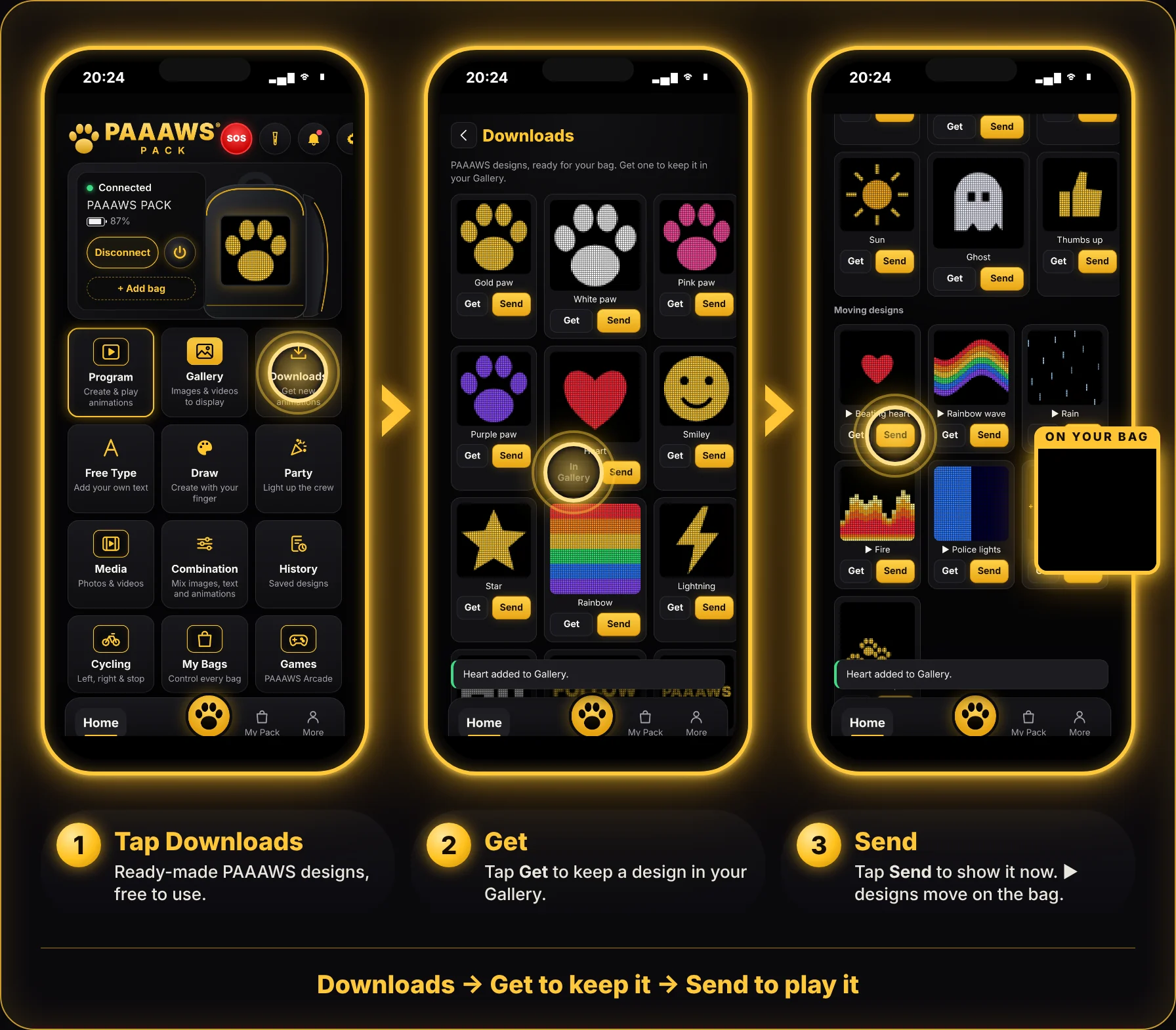
Free PAAAWS designs, ready to go. Tap Get to keep one in your Gallery, or Send to show it now. Designs marked ▶ move on your bag.
YOUR OWN WORDS
FREE TYPE
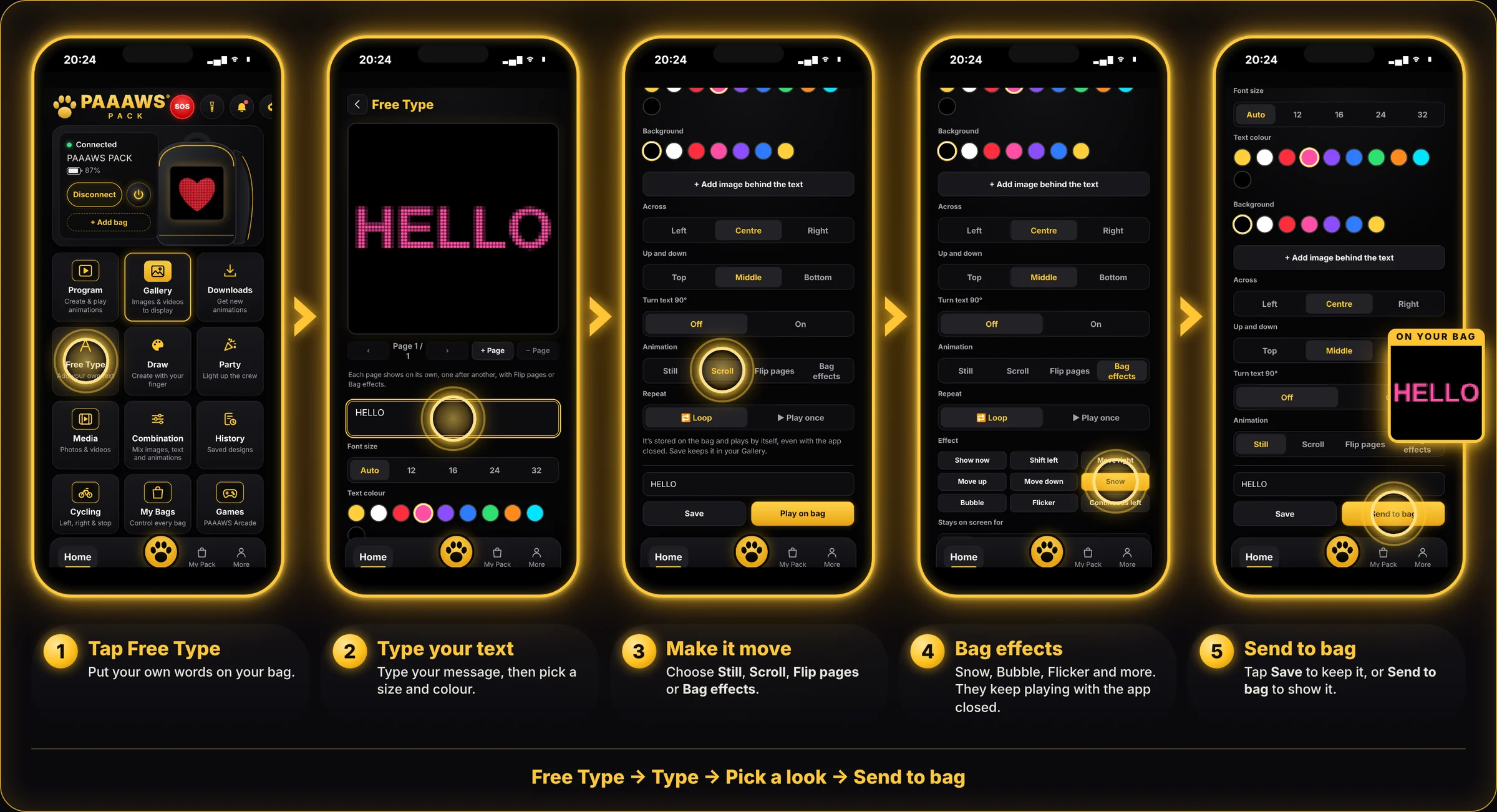
Type your message, pick a size and colour, then choose how it moves: Still, Scroll, Flip pages or Bag effects.
CREATE WITH YOUR FINGER
DRAW
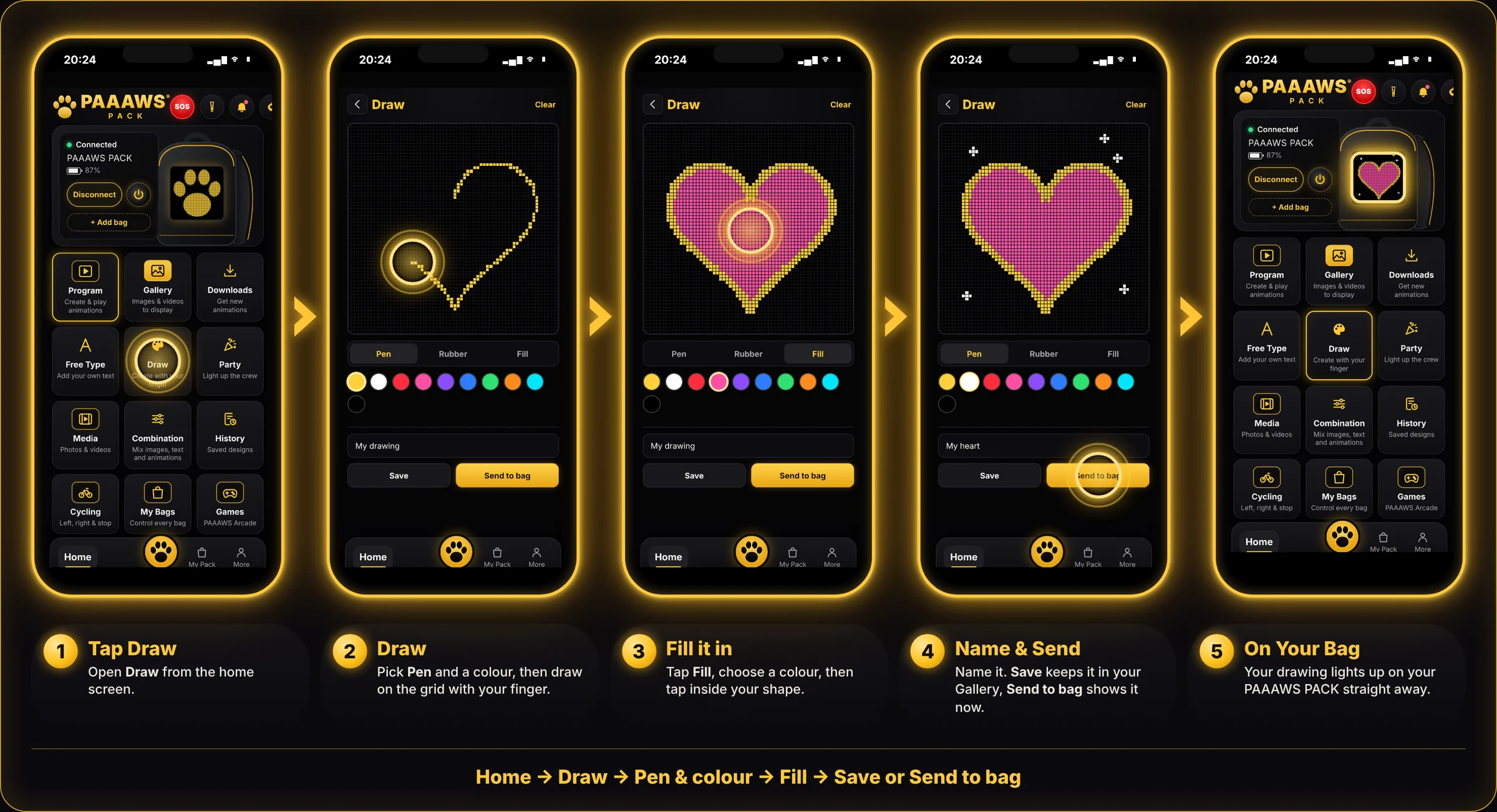
Pick Pen and a colour and draw on the grid. Use Fill to colour in a shape and Rubber to fix mistakes.
PICTURE + TEXT
COMBINATION
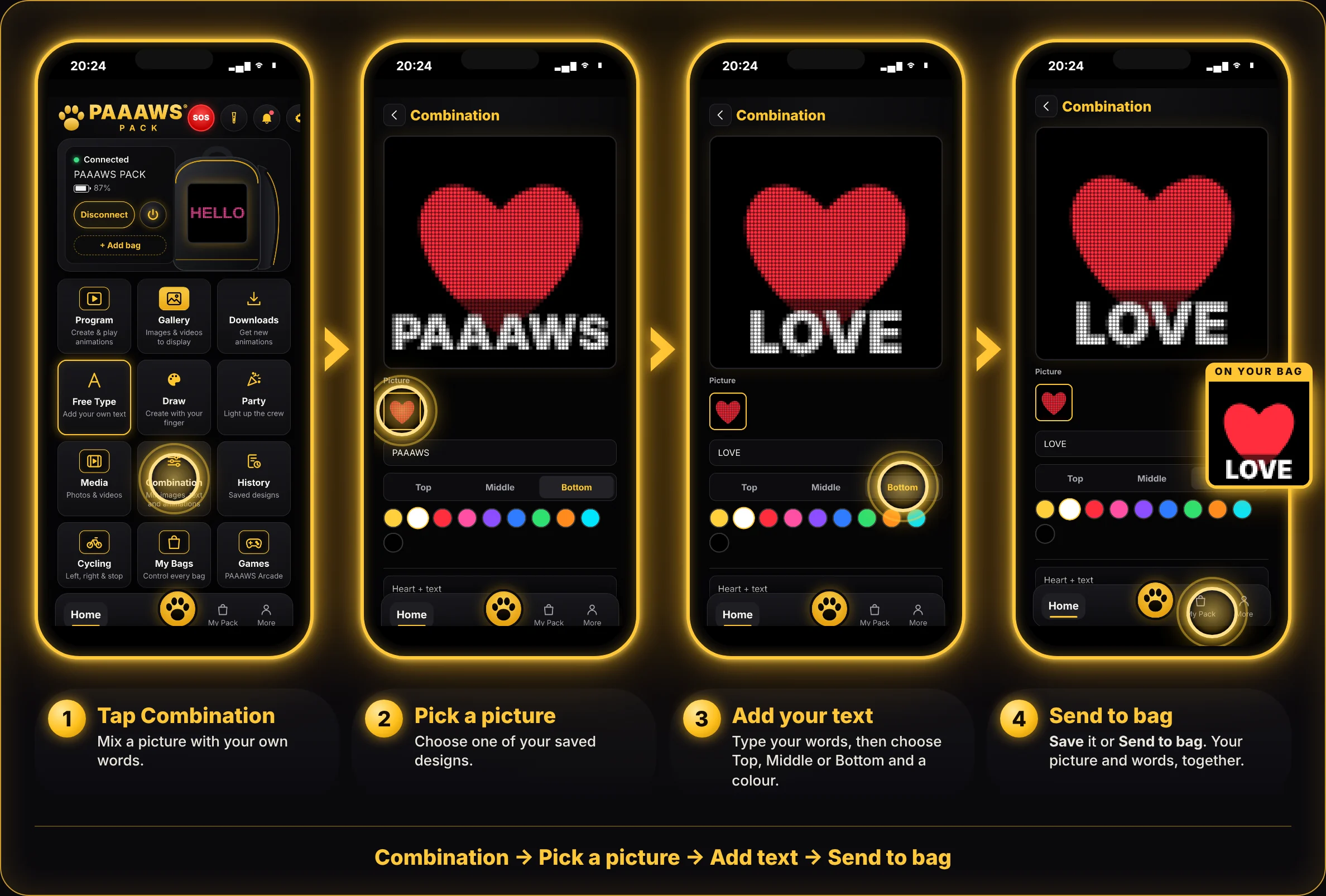
Pick one of your saved pictures, add your own words, and choose Top, Middle or Bottom. Save a picture first in Draw, Media or Downloads.
EVERYTHING YOU’VE SENT
HISTORY
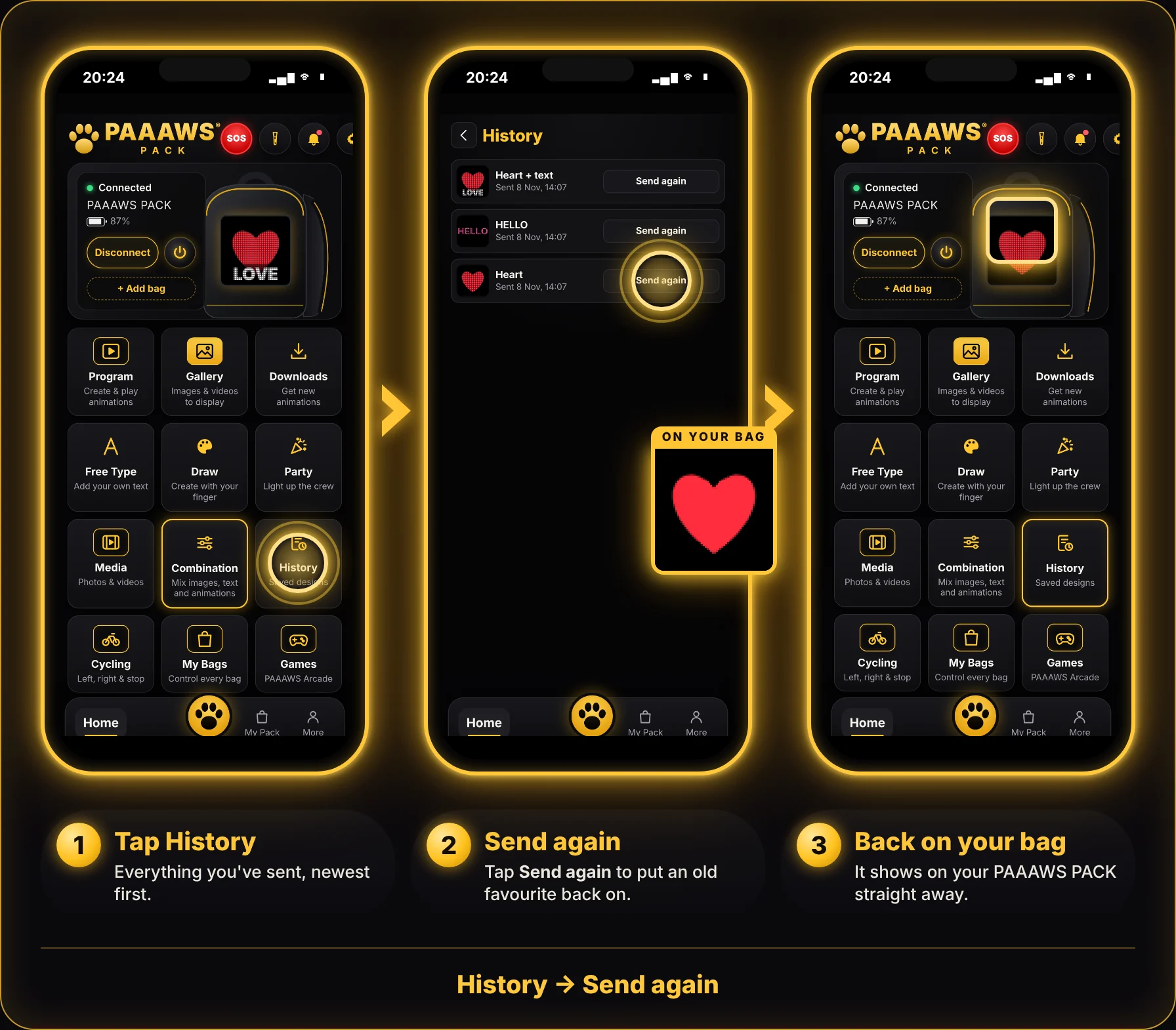
Every design you send to your bag shows up here, newest first. Tap Send again to put it straight back on.
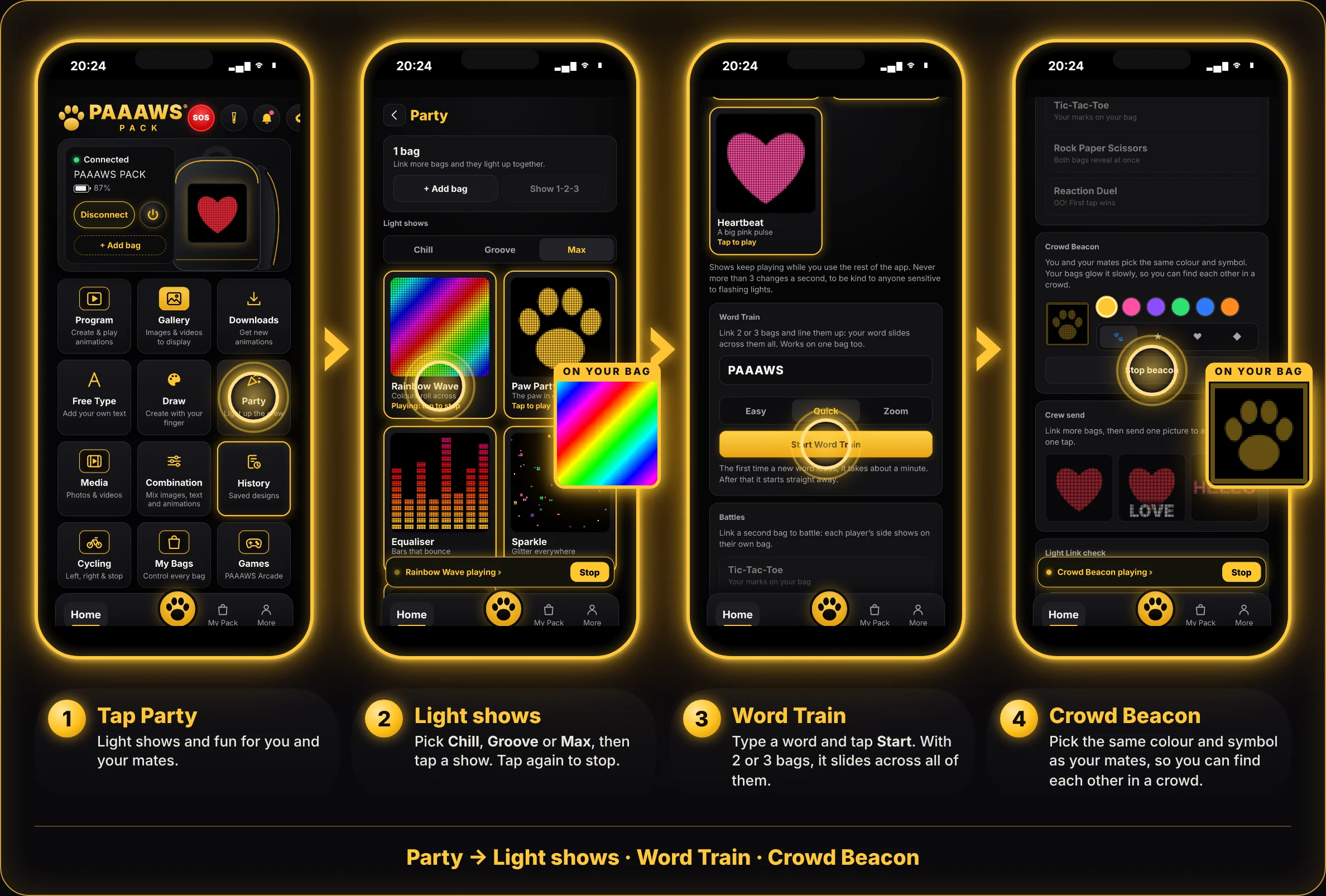
LIGHT UP THE CREW
PARTY
Light shows, Word Train, Battles and Crowd Beacon. Link 2 or 3 bags and they all light up together.
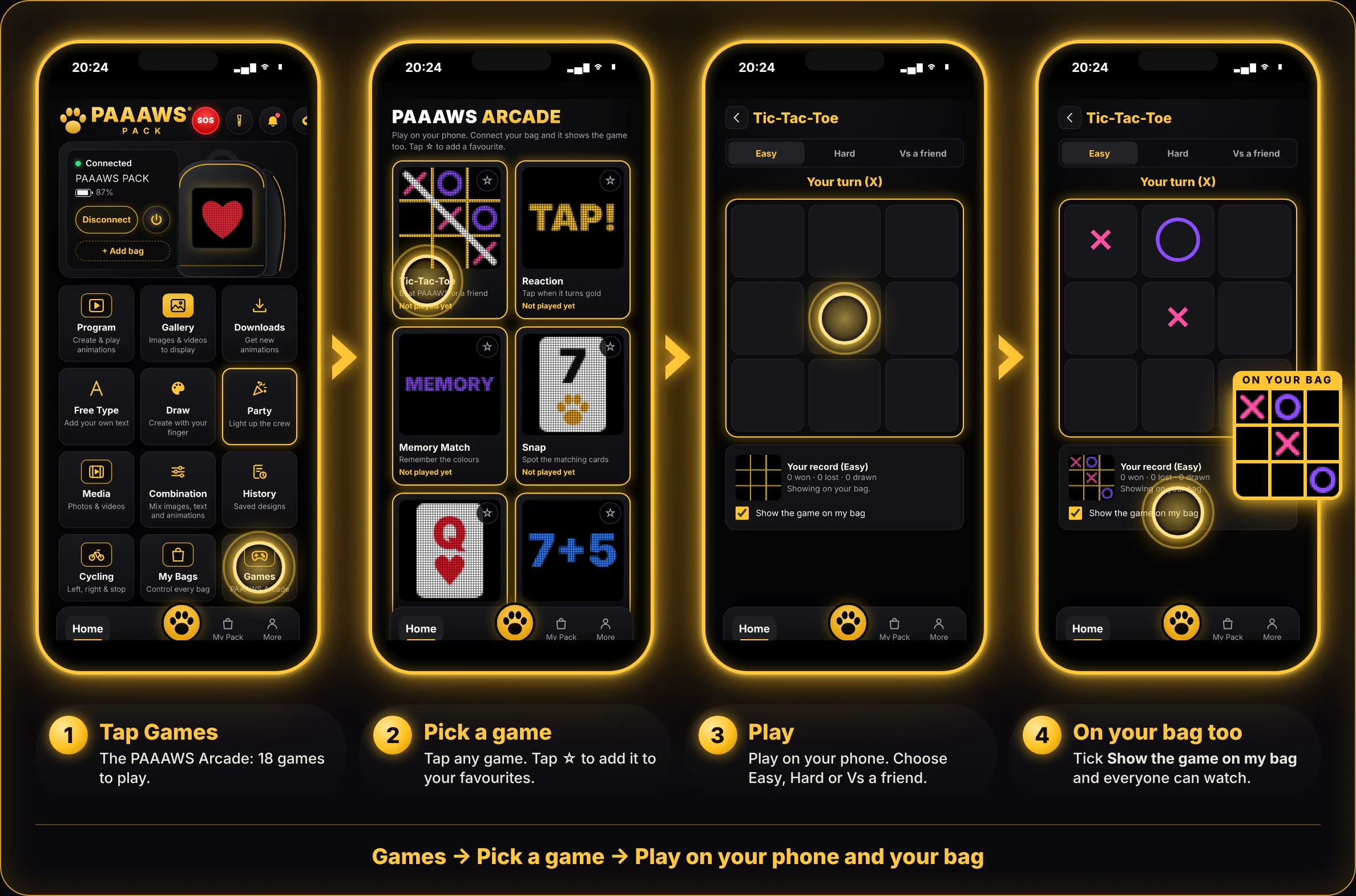
PAAAWS ARCADE
GAMES
18 games, including Tic-Tac-Toe, Snake, Pong, Four in a Row and Sea Battle. Play on your phone, and your bag shows the game too.
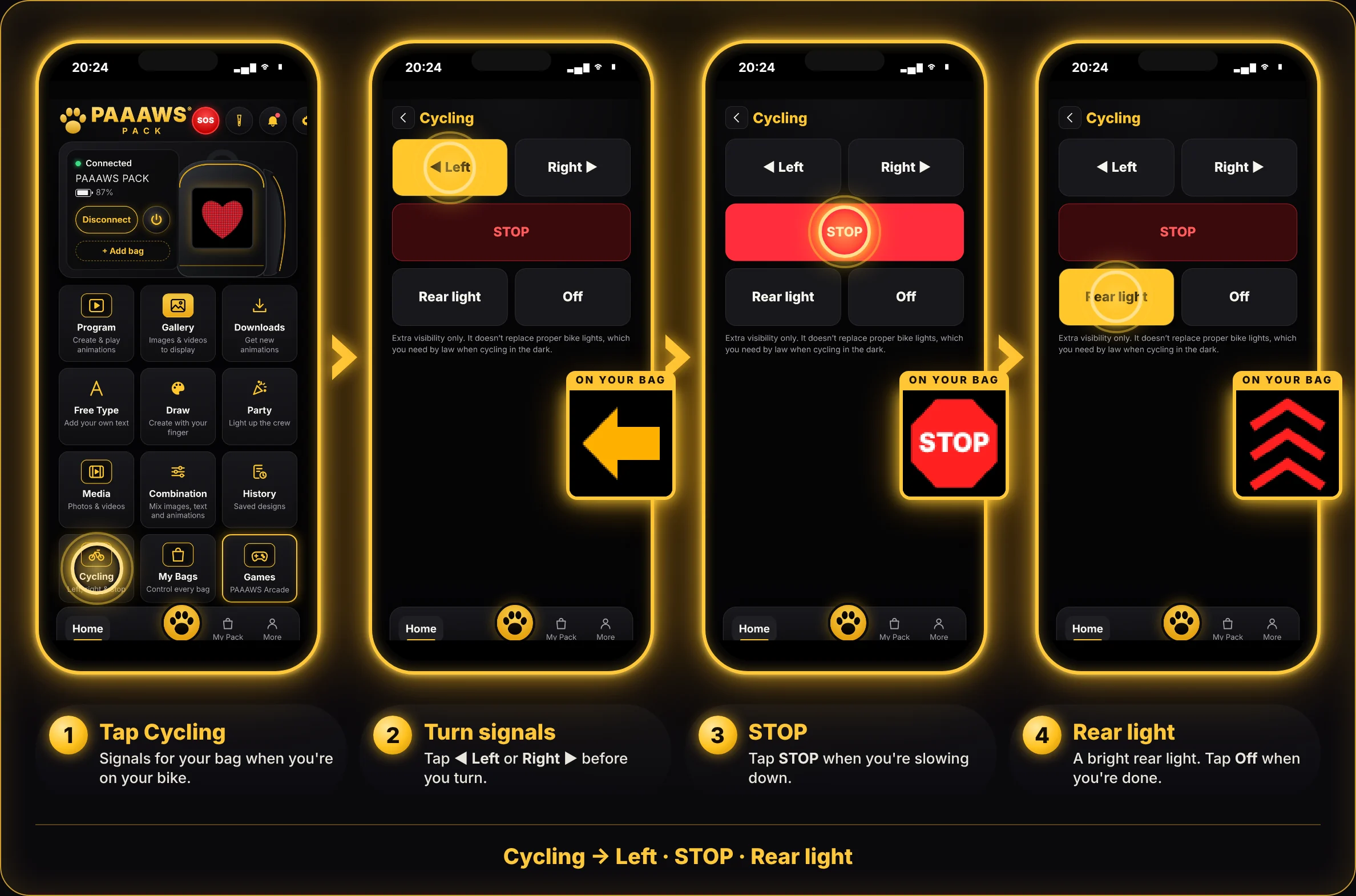
LEFT, RIGHT & STOP
CYCLING
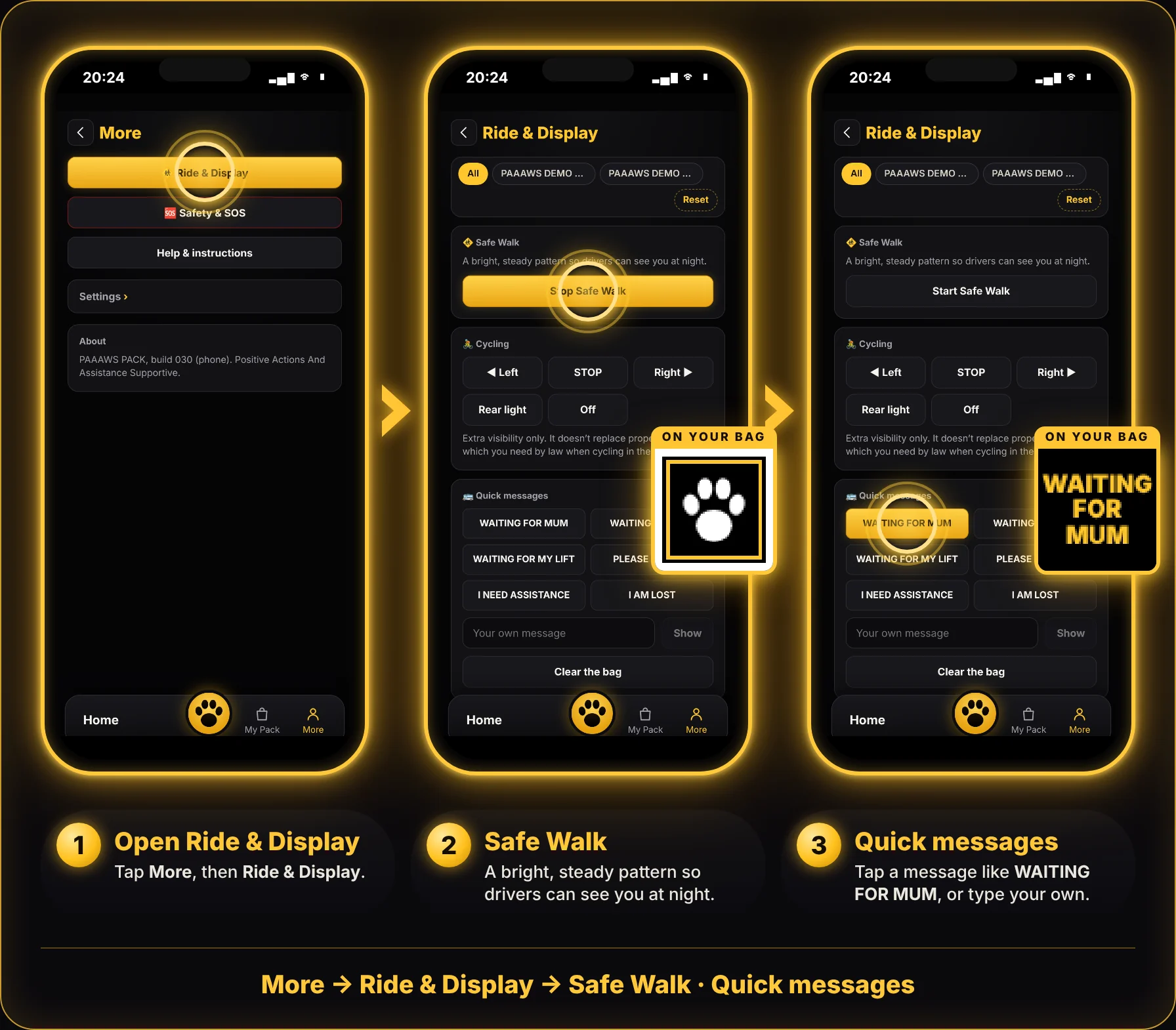
Turn signals for your bag. Tap ◀ Left or Right ▶ before you turn, STOP when you slow down, and Rear light to be seen.
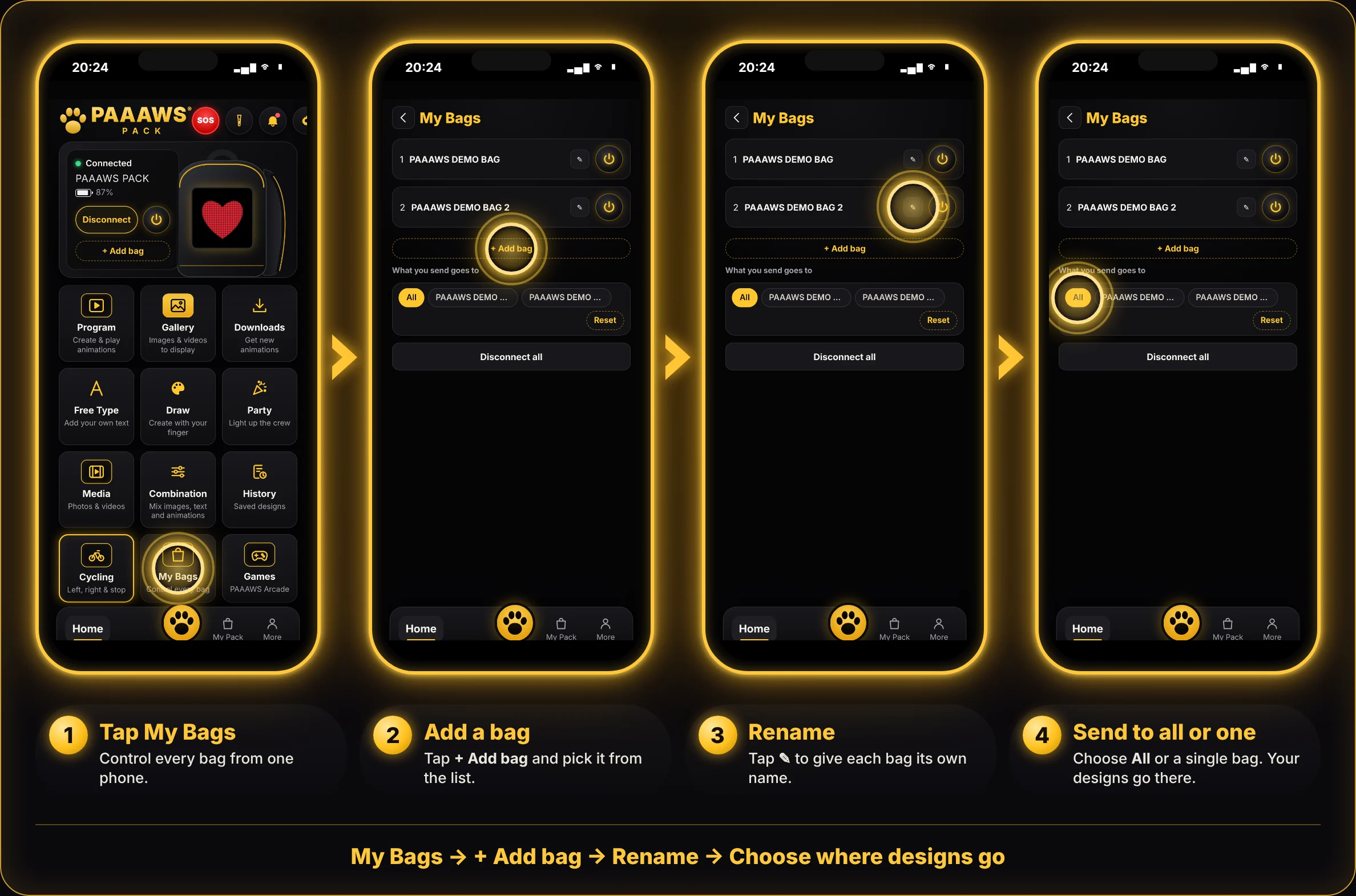
CONTROL EVERY BAG
MY BAGS
Connect more than one bag to the same phone. Rename each one, switch screens on or off, and choose whether designs go to All bags or just one.
STAY SAFE & SEEN
SOS & SAFETY
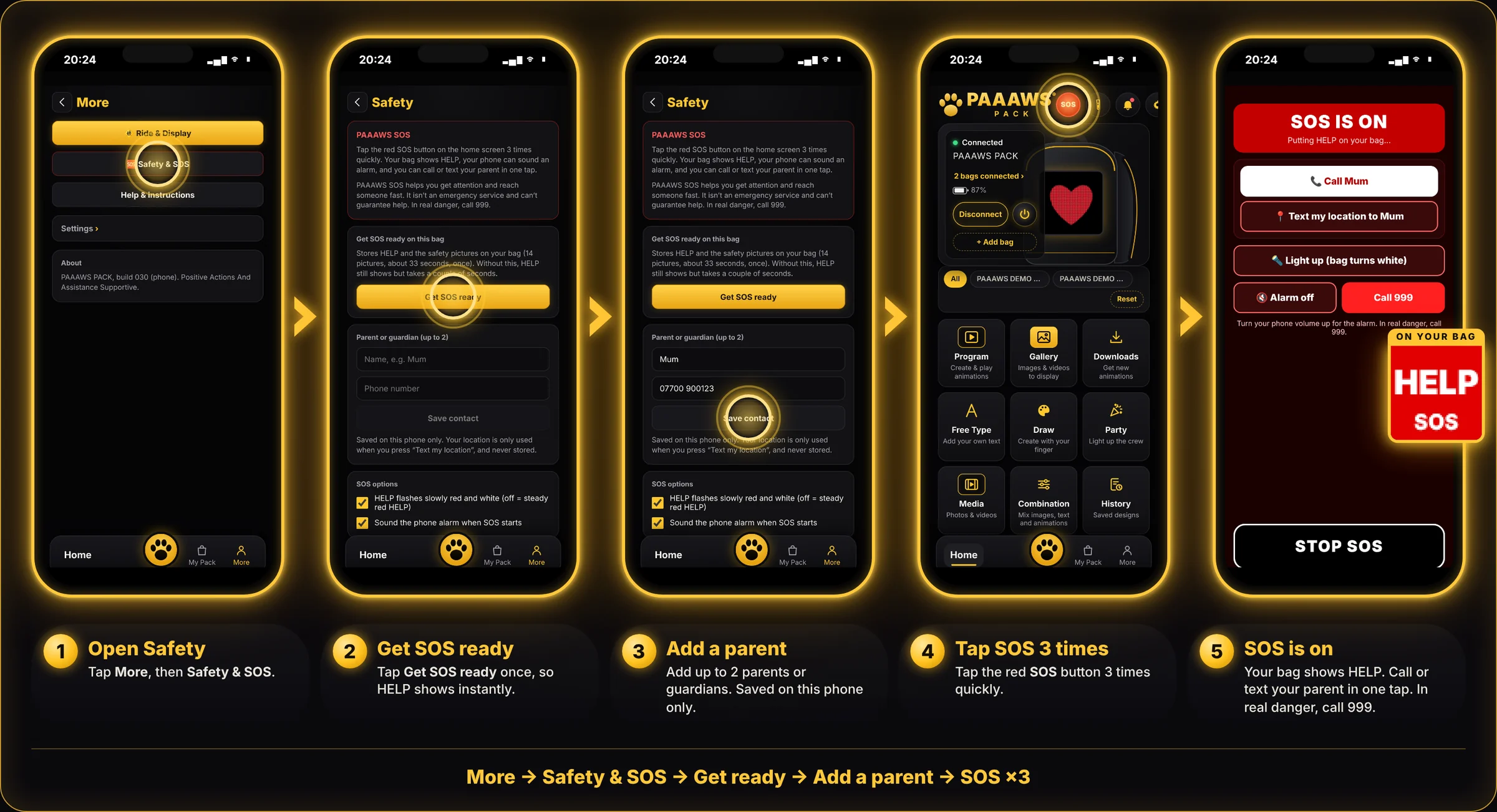
Set SOS up once. After that, tap the red SOS button 3 times quickly: your bag shows HELP, your phone can sound an alarm, and you can call or text your parent in one tap.